Security, answered plainly.
This page answers the questions people actually ask before trusting software with their passwords, their net worth and their family’s instructions. No marketing language, and no claims we can’t back up.
Your vault is one encrypted file on your own machine. We have no servers holding it, no account system, no way to read it, and no way to recover it. That is the whole design, and everything below is a consequence of it.
Where everything lives.
The application runs on your machine and reads a single encrypted file from your disk. Your master password is stretched into a key when you unlock, the key stays in memory while the vault is open, and it is discarded when the vault locks. Nothing is written in the clear and nothing is transmitted.
Backups are the same file, written to a folder you choose, on a schedule you set. They are encrypted with the same cipher, so the folder’s contents are useless to anyone without your password — including us, and including whatever service that folder might happen to sync to.
The one optional exception is share and crypto price refresh, which is off until you switch it on and give it a key. With it off, the application opens no network connection at all.
The parameters, stated so they can be checked.
AES-256-GCM
An authenticated mode, which means the vault detects tampering rather than quietly decrypting something that was altered.
PBKDF2-SHA256, 600,000 rounds
The current OWASP recommendation — not above it, and we are not going to claim otherwise. This is what makes guessing your master password expensive.
No key escrow, anywhere
Your key is derived when you unlock and discarded when you lock. It is not stored, not backed up, and not recoverable — including by us.
Every one of these is stated in Appendix A of the whitepaper with the exact parameters, and Appendix C tells you how to verify them yourself rather than taking our word for any of it.
What this design defeats — and what it does not.
A security page that only lists strengths is a brochure. Half of this table is what CofferShield cannot protect you from, because you should decide with that in front of you.
A stolen or lost laptop
The vault file is useless without your master password. It is encrypted at rest with AES-256-GCM and there is no key stored beside it.
CoveredA breach of our servers
There are none holding your data. There is no account system, no vault storage, and nothing of yours on our side to take.
CoveredA subpoena served on us
We cannot produce what we do not have. There is no copy, no key, and no identity to link to a vault.
CoveredA cloud provider outage or shutdown
Nothing about the app depends on a service staying up — including ours.
CoveredA keylogger on your machine
If something is already recording what you type, it can record your master password as you enter it. No vault design defeats this.
Not coveredAn attacker at your unlocked computer
While the vault is open the data is decrypted in memory, by necessity. Auto-lock and the session PIN narrow the window; they do not close it.
Not coveredSomeone who can compel you
Legal or physical coercion is outside what software can solve. The decoy vault exists for a narrow version of this and the whitepaper is explicit about its limits.
Not coveredA weak master password
600,000 rounds makes guessing expensive, not impossible. Four words is not enough for a file that can be copied; six or more is.
Depends on youNothing sensitive is on screen until you ask for it.
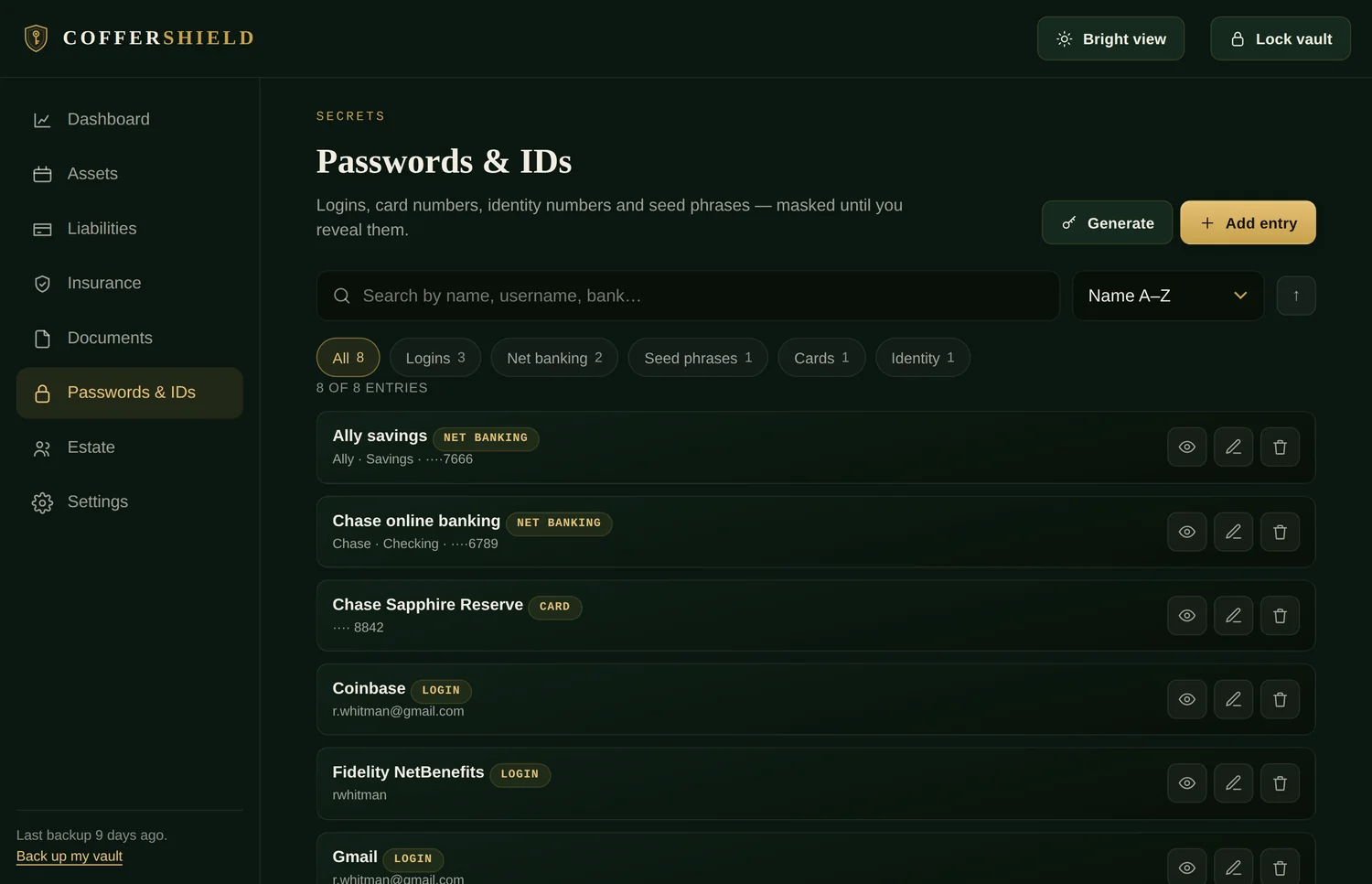
Card numbers, identity numbers and seed phrases are stored masked and stay masked. Revealing one is a deliberate act, and fields you mark sensitive are excluded from anything the app prints.
One password, and no way around it.
Your master password is the only thing standing between the file and its contents. It is never transmitted, never stored, and never seen by us. Six words or more — the app will tell you when what you have chosen is thin, and the create screen recommends six rather than four for a file that can be copied.
There is no reset, no security question, no identity check, and no support route in. If we could let you back in, so could anyone who convinced us they were you. What there is instead is a route you set up in advance: a recovery key, Shamir shares, or an older backup.
Write it down. Keep it where you keep your passport. This is the single most common way people lose a vault, and it is the one we can do nothing about after the fact.
Sixty pages, including the parts that argue against us.
The Security Architecture Whitepaper covers the threat model, the cryptography, key derivation, backup and session design, and platform security. Its limitations section is as long as its strengths section, and Appendix B lists the defects that writing it uncovered — including the ones that were reachable, and what was changed in response.
Asked and answered.
How is my data encrypted?
With AES-256-GCM, the same cipher used to protect classified government data and every HTTPS connection you make. GCM is an authenticated mode, which means the vault detects tampering as well as preventing reading — a modified file will refuse to open rather than quietly return wrong data.
Your master password is never used as a key directly. It is put through PBKDF2-SHA256 with 600,000 iterations to derive the key. That deliberate slowness is the point: it means someone who steals your vault file has to spend that cost on every single password guess, which turns a feasible attack into an infeasible one.
All of this runs in your device’s own cryptography engine. Nothing is sent anywhere to be encrypted or decrypted.
Where are the servers?
We don’t run a vault server. This is the part people find hardest to believe, so it is worth being precise: there is no CofferShield database, no user table, no S3 bucket, no backup cluster. There is nowhere for us to look you up, because nothing about you was ever sent to us.
The only thing we run is the website you are reading now, which is static files on a host and knows nothing about the product you bought.
Can CofferShield read my data?
No, and not as a matter of policy — as a matter of arithmetic. We do not have your file and we do not have your password. Even if we had both, we would still need the password, because the key is derived from it and stored nowhere.
There is no master key, no support override and no recovery back door. Those things are how most software gets breached; the safest version is not to build them.
Who owns my encryption key?
You do, and only you — but the honest version of this answer has two cases, and we would rather set them both out than give you a slogan.
By default, your master password unlocks a data key that encrypts the vault. That key is reconstructed each time you unlock, held in memory while the vault is open, and discarded when it locks. Nothing is written to disk, escrowed, or transmitted.
If you turn on fingerprint unlock, a wrapped copy of that data key is handed to your operating system’s own credential store — Windows Credential Manager, or the macOS Keychain backed by the Secure Enclave. It is released only after your device has verified you by fingerprint, face or device PIN. It is marked device-only, so it does not sync to iCloud or to a Microsoft account, and on macOS it is invalidated automatically if the enrolled fingerprints on the machine change. Switch the feature off and that stored copy is deleted.
We never hold either version. What changes is whether your device holds one, and that is your choice to make.
Is fingerprint unlock less safe than typing my password?
It is a genuine trade, so here is the shape of it rather than a reassurance.
What you gain: you stop typing a long master password several times a day, which in practice means people choose a stronger one and stop being tempted to shorten it. Convenience that reduces password quality is the more common real-world failure.
What you accept: an attacker who has your unlocked computer and can pass your device’s own biometric check can open the vault without knowing your password. If that is inside your threat model — a shared machine, or someone who could compel your finger — leave it off and keep typing the password. Both modes are fully supported, and your master password always works regardless.
Where do automatic backups go?
Into a folder you pick, on hardware you control, and nowhere else. Automatic backup is off until you switch it on and choose a destination; after that the vault writes an encrypted .coffer file there on a schedule and keeps a rolling set of the most recent copies, deleting the oldest.
Those backups are encrypted with the same AES-256-GCM as the vault itself, so the folder’s contents are useless to anyone without your password. We never see them, and there is no upload step — if you point it at a folder that happens to sync to a cloud drive, that is your decision, and what lands there is still ciphertext.
Can hackers access my vault?
We hold no central store of customer vaults — the usual headline, “company loses 10 million records,” does not apply to us, because there is no pile of customer records on our side to lose.
What remains is the risk to your own device. If someone steals your computer, they get an encrypted file they must brute-force against 600,000-round key derivation. If someone installs a keylogger on your machine and watches you type your master password, no encryption product on earth will save you — that is true of every password manager, ours included. Keep your machine clean and choose a long password.
What happens if your company shuts down?
Nothing happens to your vault. It keeps working, because it never needed us. No account expires, no licence check fails, no server goes dark. You keep using the copy you have, for as long as you have a computer that opens it.
Can I export all my data?
Yes, at any time, into a single encrypted .coffer file that you control. That file is your backup and your portability: copy it to a USB drive, an external disk or a second computer, and restore from it whenever you need to. You are never locked in, because there was never a lock.
Does anything get uploaded? Does it track me?
No analytics, no telemetry, no crash reporting, no advertising identifiers, no phone-home check. With optional price refresh switched off — which is how every new vault starts — the application makes zero network requests. Fingerprint unlock and automatic backups are both local operations, one talking to your own keychain and the other writing to your own disk, and you can confirm that yourself with your browser or operating system’s network tools rather than taking our word for it.
There is exactly one optional exception, and it is off until you switch it on. If you hold stocks or crypto and want their prices kept current, you can enable a price lookup using an API key you create yourself. When that is on, ticker symbols only leave your device — AAPL, VOO, BTC. Never your quantities, balances, net worth, passwords, documents or beneficiaries. Switch it off and the vault goes back to making no requests at all.
Can I use it without the internet?
Yes, and that is the normal case rather than a degraded mode. Unlocking, editing, searching, printing and exporting all work with the network unplugged. The one exception is optional price refresh for shares and crypto: it is off in every new vault, and if you switch it on it sends ticker symbols and the API key you obtained yourself to the provider you chose, over HTTPS, to a host on a fixed allowlist — and nothing else. No vault data crosses the network at any point. With price refresh off, the application opens no network connection at all.
What happens if I forget my master password?
There is no password reset, and we cannot help you. We hold no copy of your vault and no master key. Nothing about your password reaches us, so there is nothing on our side to reset.
What can get you back in are things you hold yourself: a recovery key you generated and printed, shares of that key held by people you trust, or an older .coffer backup that opens with a password you still remember. All three are set up by you, in advance, on your own device.
If you set none of those up and forget your password, the vault stays shut permanently. That is the direct cost of there being no back door, and we would rather state it bluntly here than have you discover it later. Write your master password down and keep it somewhere physically safe — a home safe, a sealed envelope in a safe deposit box.
Can my family recover my vault?
Only if you arrange it, which is exactly what the estate features are for. A recovery key can be split into printed shares — say five, where any three together rebuild it — and handed to the people you trust. Fewer than the threshold reveals nothing at all about the key, so no single person can open your vault alone.
The vault also produces a printable emergency access sheet recording where your vault file lives, where your master password is written down, and who to contact. You print it and store it with your important papers.
We are deliberately not a party to that arrangement. No dead-man’s switch, no trusted-contact service that we would have to keep running forever.
Can I back up my vault?
Yes, and you should — on day one, before you have anything to lose. You can export the encrypted .coffer file by hand at any time, or switch on automatic backups and let it write to a folder you choose on a schedule. Keep at least one copy somewhere separate from your main machine. Because your vault lives on your device, protecting it against hardware failure, theft or accidental deletion is your responsibility, and the export is the tool for it.
Has this been independently audited?
Not yet, and we are not going to imply otherwise. An independent audit is planned, and this page will say so plainly — with the report linked — on the day it is true and not before.
In the meantime the honest answer is that you should not simply trust us. Run the demo, disconnect your network, watch the request count, and judge what you can see for yourself.
You can also read the whitepaper, which is a self-assessment rather than an audit and says so. Appendix C is a list of the claims on this page and how to check each one without taking our word for it.
Something looks wrong — who do I tell?
Write to security@coffershield.com. Security reports are read by a person and answered. If you have found something real, we would much rather hear it from you than from a customer.
Protect what matters.
One payment. Lifetime ownership.
Fourteen-day refund. No account to create, and nothing to cancel.